
Exchange rates
Track holiday spending at your own exchange rate
A €90 price is hard to judge against a budget in Singapore dollars. Set your trip’s exchange rate in HowMuchie, check prices in your own currency and save what you spend against your budget.
The short answer
Choose a trip exchange rate, enter each foreign price and record the expense against your home-currency budget. Use the same accepted rate consistently for that trip, and check your remaining budget after saving. The result is a record based on your chosen rate, not a guaranteed final bank charge.
Set your trip rate. Check a price. Save your spending.
Start with the budget you want to keep track of
Suppose you are travelling from Singapore to France. Prices are in euros, but you have set aside S$500 for the spending you want to track in the app. Looking at a €20 lunch does not immediately tell you how much of that S$500 it uses.
Write down what your budget covers before the trip. For example, you might track meals, transport and activities while treating already-paid flights separately. The important part is consistency: compare recorded costs with a budget covering the same things.
Set up that trip in HowMuchie with a destination, dates, your chosen exchange rate and a home-currency budget. Check a local price in your own money, then save the expense when you buy. That connects a price in front of you to the budget you planned to use.
Connect one foreign price to your home currency
If the rate you choose is equivalent to €1 = S$1.50, a €90 price converts to S$135:
€90 × S$1.50 per euro = S$135
HowMuchie’s captured example shows that conversion using the reciprocal rate: 1 SGD = 0.666667 EUR. Keep the direction clear when entering a rate; “euros per Singapore dollar” and “Singapore dollars per euro” are different expressions of the same relationship.
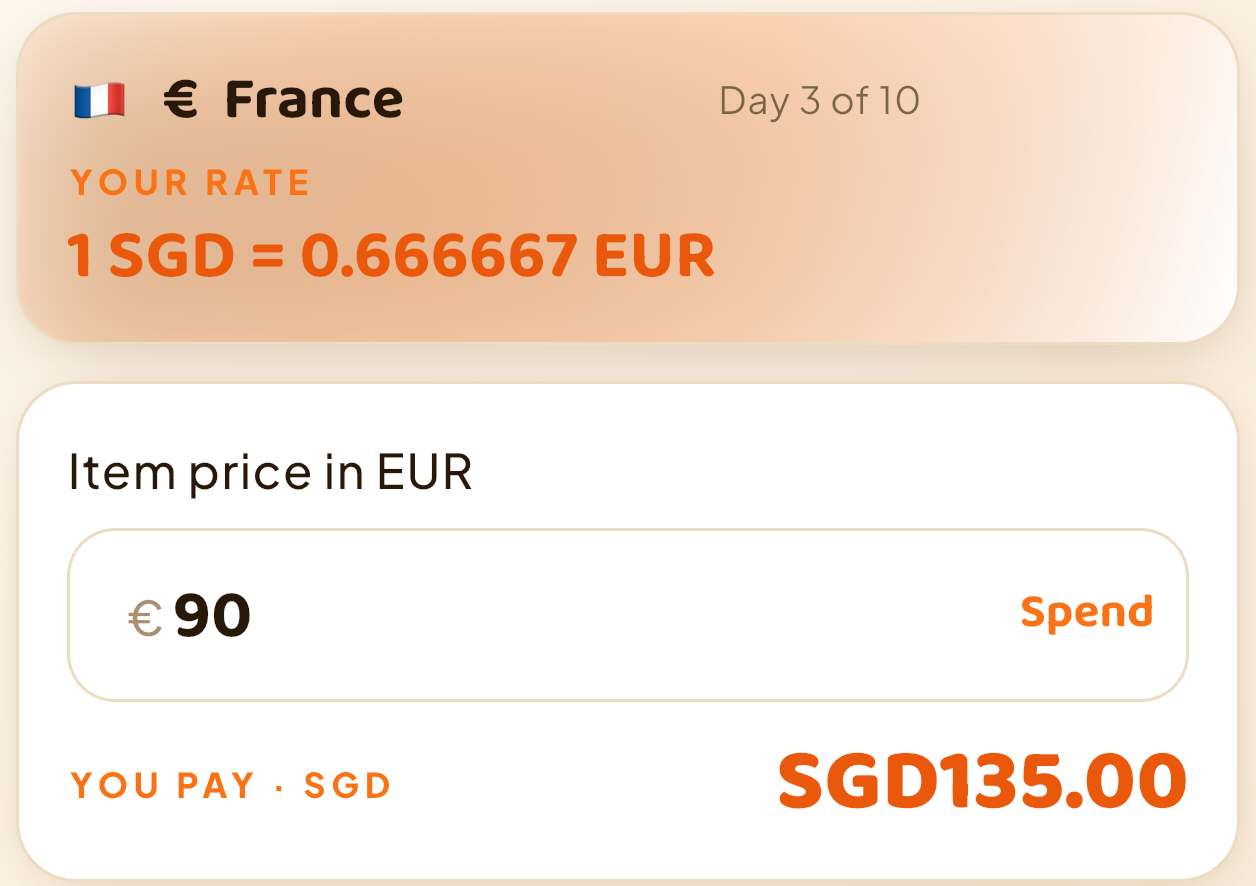
You can enter a rate you received or choose one appropriate for the spending record you want to keep. The app can also offer a dated rate suggestion during setup. You can replace it manually; the rate you accept for the trip stays fixed rather than continuously repricing recorded expenses.
Use the chosen rate to keep your spending record consistent. The price check above is still unsaved: it helps you judge the purchase before you decide to record it.
Checking a price is not the same as spending it
You may check a dinner menu, compare two souvenirs and leave both shops without buying anything. Those conversions help you decide; they should not become recorded purchases simply because you typed a number.
In HowMuchie, entering a price shows its home-currency equivalent and can preview the budget impact. Saving an expense updates the recorded spending. Keep that distinction in mind when reading a screenshot or checking your totals: a pending amount is not a saved purchase.
A group bill adds one more distinction. If a €90 meal is shared equally by three people, your personal cost is €30, not the full €90. At the example rate, your share is S$45. Read the worked guide to group bills and your personal budget before counting the whole bill as your own spending.
Use a short routine after each purchase
- Check the price when it helps you decide. Enter the local amount to see the home-currency equivalent.
- Save what you actually buy. Add a short note that will make sense later, such as “train to the museum”.
- Split shared costs with the right people. Keep your own cost separate from whoever paid.
- Review the recorded budget. Look at spending so far and what remains before deciding on the next expense.
Keep the habit small: check a price when useful, save what you buy, then review what remains. Record the purchase while you remember what it was for, instead of leaving the whole day’s spending to reconstruct at night. Add any missed expense when you notice it so the record stays useful.
Remaining budget is a spending allowance. It is not the money left in your bank account, and it is not a prediction of what the rest of the holiday will cost. HowMuchie’s recorded totals are only as complete as the expenses you save.
Put your own rate to work on your next trip
Your next price check can do more than produce a number. Use HowMuchie to see the amount in your own currency, save what you spend and keep your remaining recorded budget in view.
Get HowMuchie and set up your trip rate and budget. For the complete flow, see how a price becomes a recorded expense. Travelling with friends? Read how to organise shared bills alongside your own budget.
Will the recorded amount match my card charge?
Your chosen rate is a budgeting input, not a currency exchange or bank-rate guarantee. Your card’s final charge can differ because of its rate, timing or fees. Check your provider’s transaction for the final payment amount; HowMuchie does not read bank transactions.
Your next trip
Get HowMuchie
Set your trip rate. Check a price. Save your spending.


iPhone availability varies by App Store region. Check your local store.
See available plans and current prices in the app. Purchase details are shown before you confirm.